Author Topic: How I create some of my photos.  (Read 966 times)

0 Members and 1 Guest are viewing this topic.

Ceej

  • Staff
  • Inebriation Engineer
  • *****
  • Posts: 982
  • Head Bartender
How I create some of my photos.
« on: September 19, 2021, 02:19:13 PM »
Hey everyone!  After talking with a few of you this past week on the subject,
I thought it might intrest a few of you to see how I put together background sets for the girls.

Some photos I use background pics I took from vacations, and those rarely need much work, apart
from cropping, etc. For others like this year's halloween pics. I had to create a lot of the set
from many pics on line and from my personal vault.

To do this, I use an older photo edit program called Microsoft Digital Image Suite. It's a little like
Photoshop only not nearly as powerful, but I find it more user friendly and I can do all I want with it.

I saved my progress quite a few times at various stages during this year's Halloween set so I can
use those for my demo here.

So, for this set, I knew I wanted Sandy and Nicole together in their monster costumes. I also
knew I wanted to integrate the fuzzy eggs and critters hatching out of them in the scene.
That's all I knew at this point.

For the backdrop, All I knew is that I wanted a Halloween themed alien landscape, but I didn't
have a hard set idea in mind. So when this happens, I often look up images on line to give me a
bit of guidance. After looking at a couple dozen images I had a better idea what I wanted.

1. So, first I found a decent starry night image to work from.


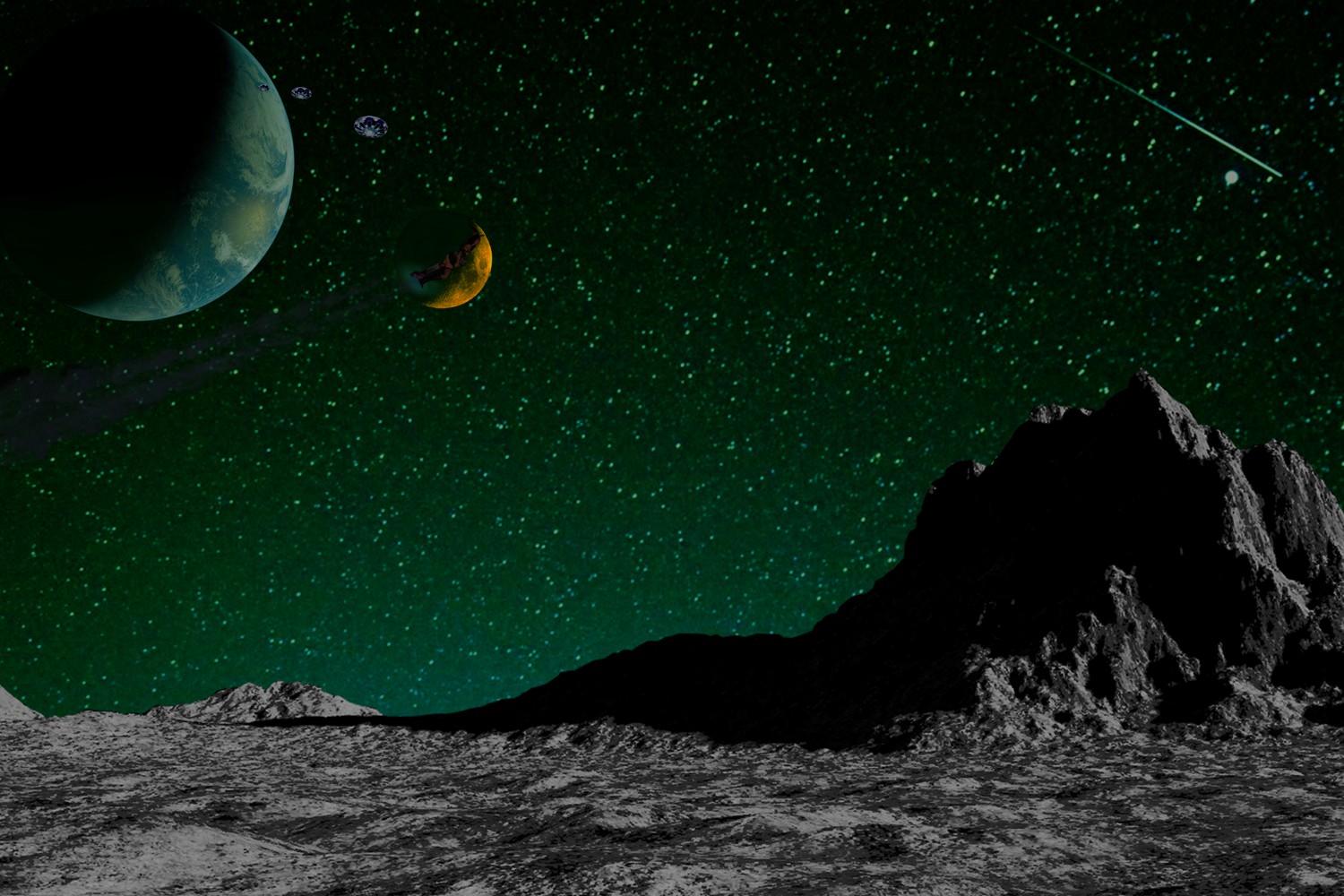
2. With that, I changed the colour to look more alien world like. I found a lunar landscape image,
   along with images of the moon and earth in crescent form.
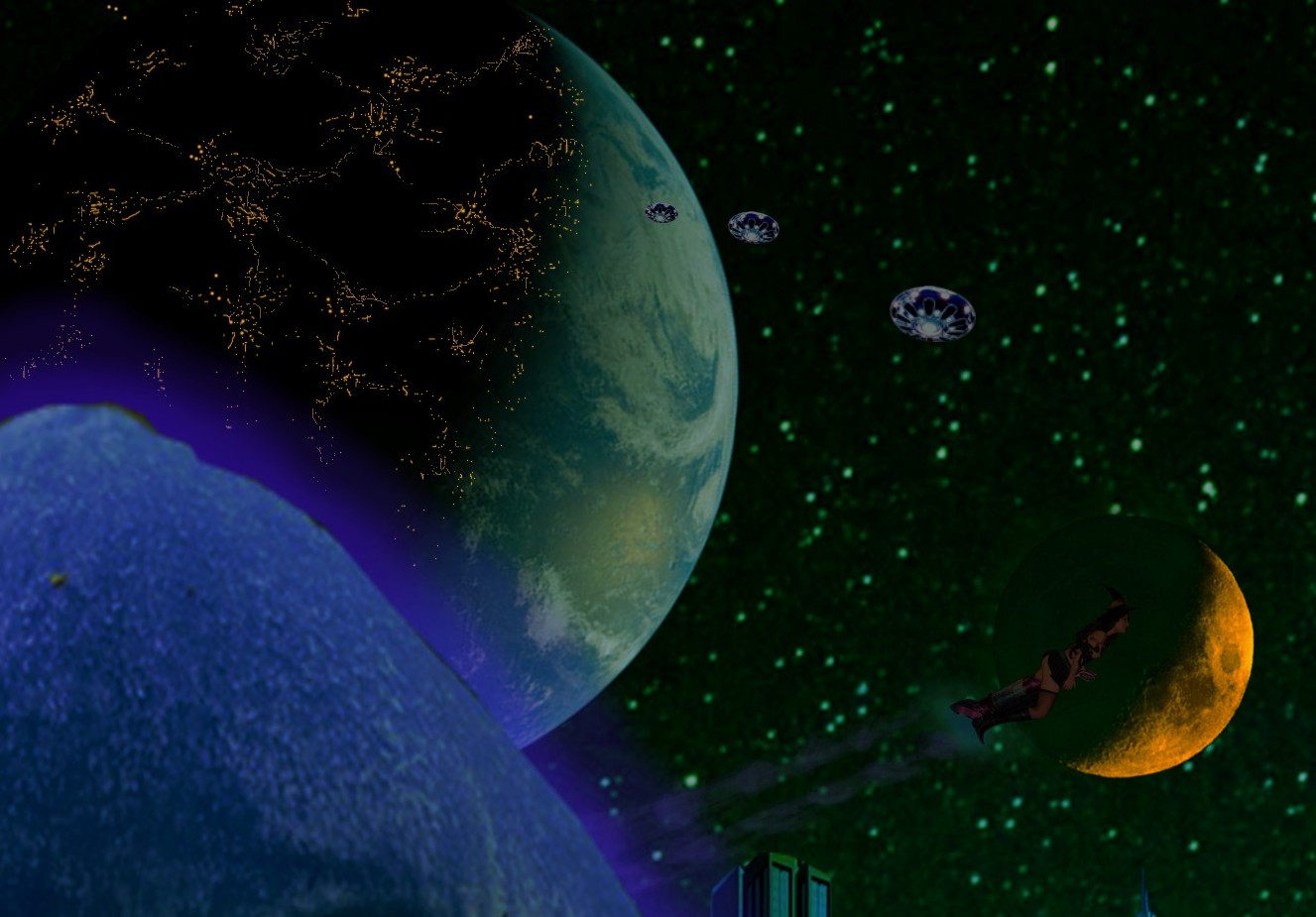
   Now look closely at the earth. You'll see I included some UFO's leaving the earth as well as
   Little Miss Sandy-Witch flying across the moon. If you didn't know this, for the past handfull of years, I've hidden
   these two in at least one of my story pics every year.  :P


3. Here I changed the colour of the landscape as well as made the overall height higher, most
   noticeable in the mountains.
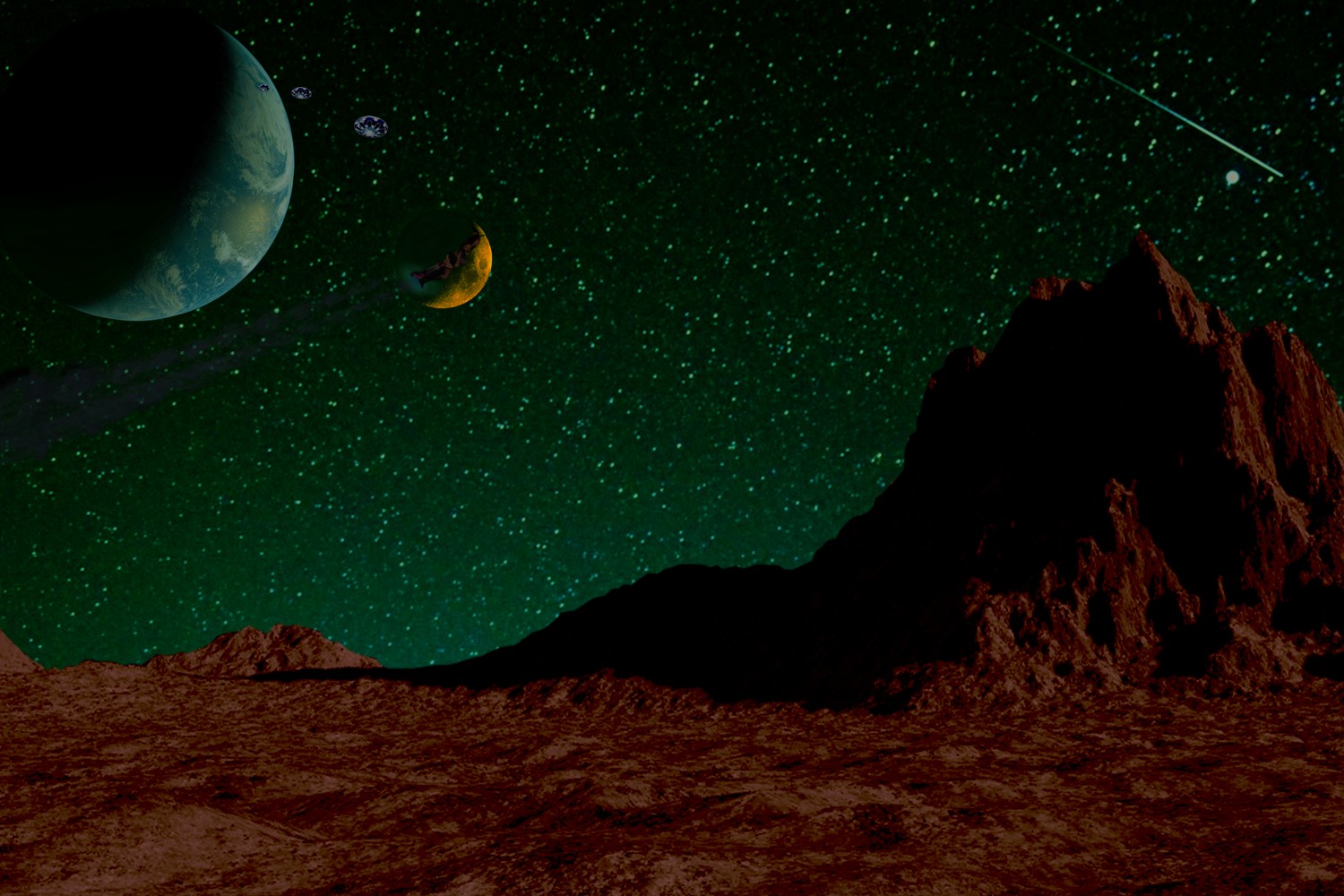


4. Next I start to create the fill with some of my stock images. Mushrooms, pumpkins and a couple
   of ghosts. As I add all the features, I soften the hard edges just a little so they appear more
   natural and a bit less cut-and paste, and I also correct the images for lighting.
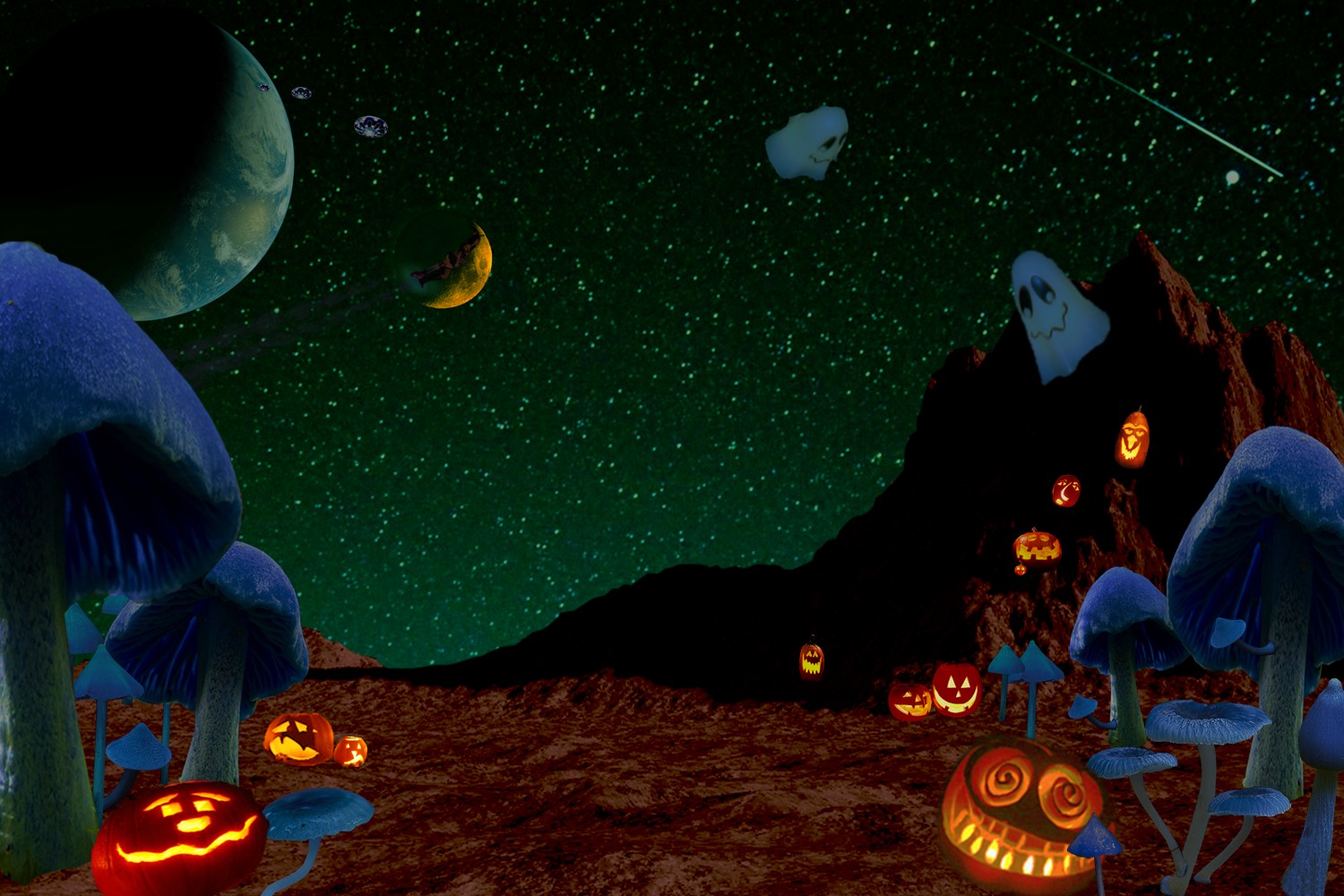


5. Here I add some textured grass/foliage, and I also adjust the size and placement of the mushrooms
   and pumpkins.
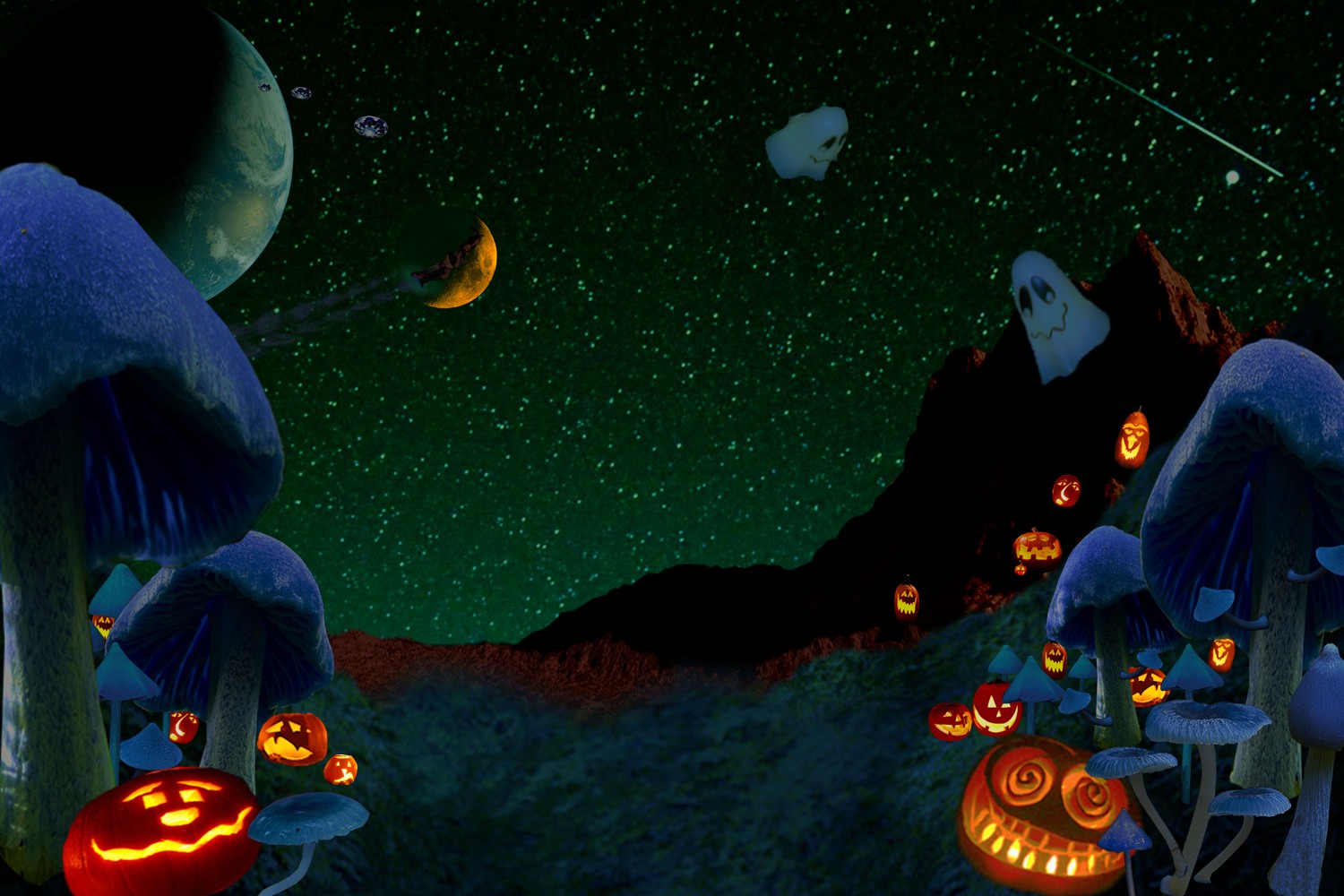


6. A little modification to the ground foliage. And I add the eggs, Critters, along with Sandy
   and Nicole. You don't see Sandy and Nicole here because I have more landscape work to add
   and adjust. They are in place, just that they are hidden in a layer behind the picture.


7. Here I start adding more details. Zorgad City is pieced together and added, along with the
   Search lights from behind the mountain. Also I adjust the lighting on the eggs and critters
   so they fit better in the picture's overall low light level.
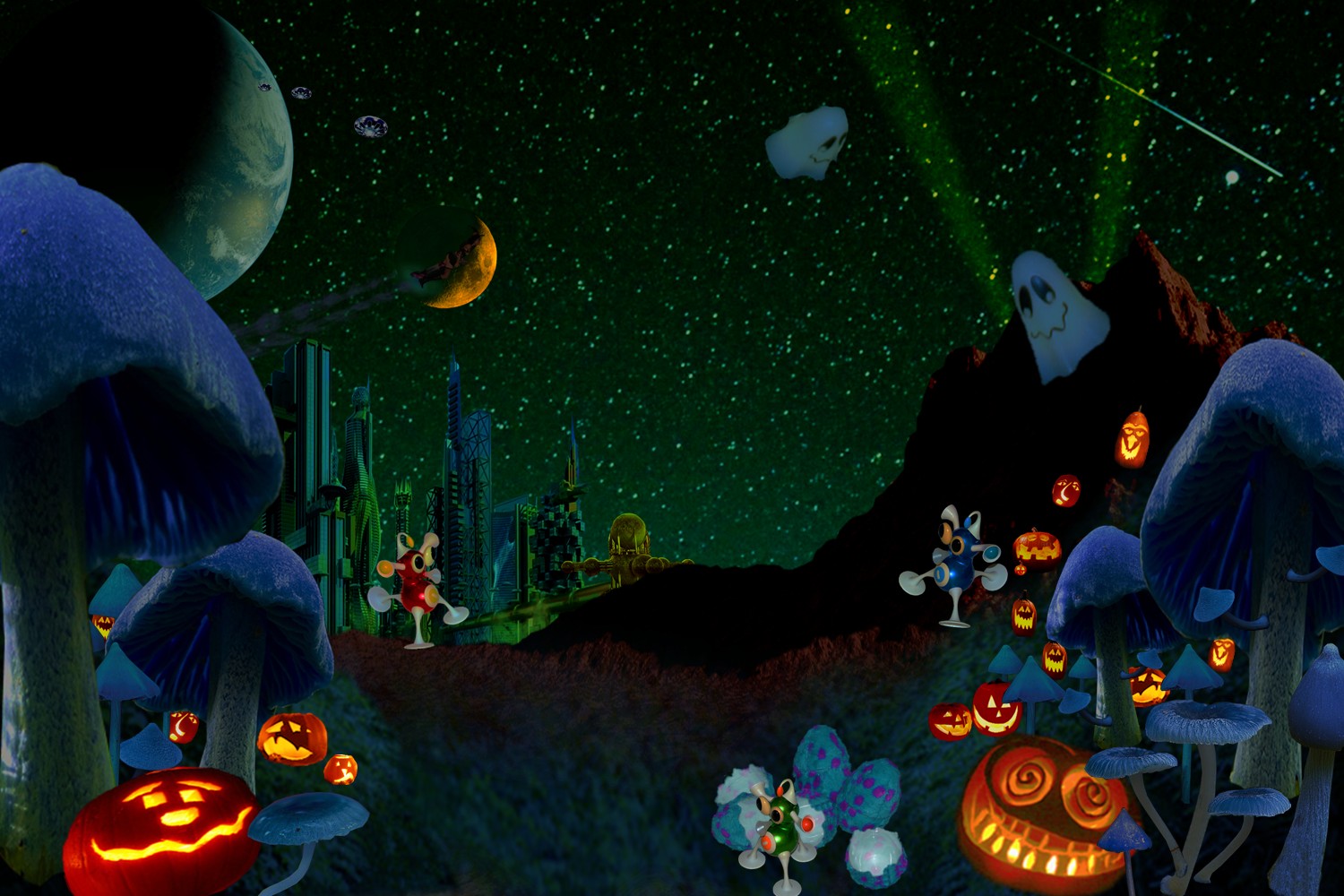


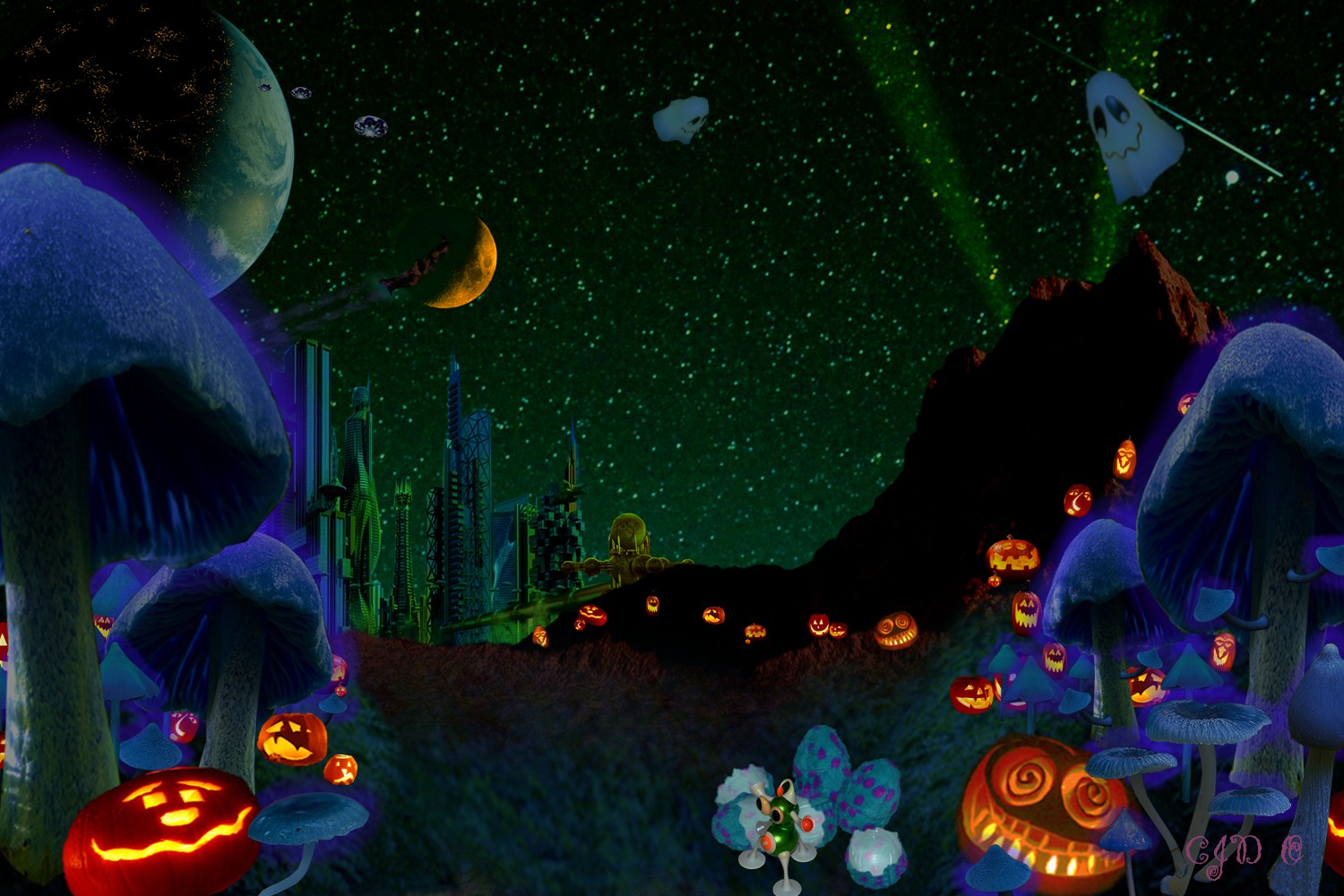
8. More detail and fine tuning. More pumpkins added to create a trail to the city. A soft glow is
   added to the mushrooms. And city lighting is added (pixel by pixel) to the dark side of
   the earth. Two of the critters are missing here, they are in a back layer with the girls.


9. Close up of the earth, with city lights. Here you can easily see the UFO's and Little Miss
   Sandy-Witch.


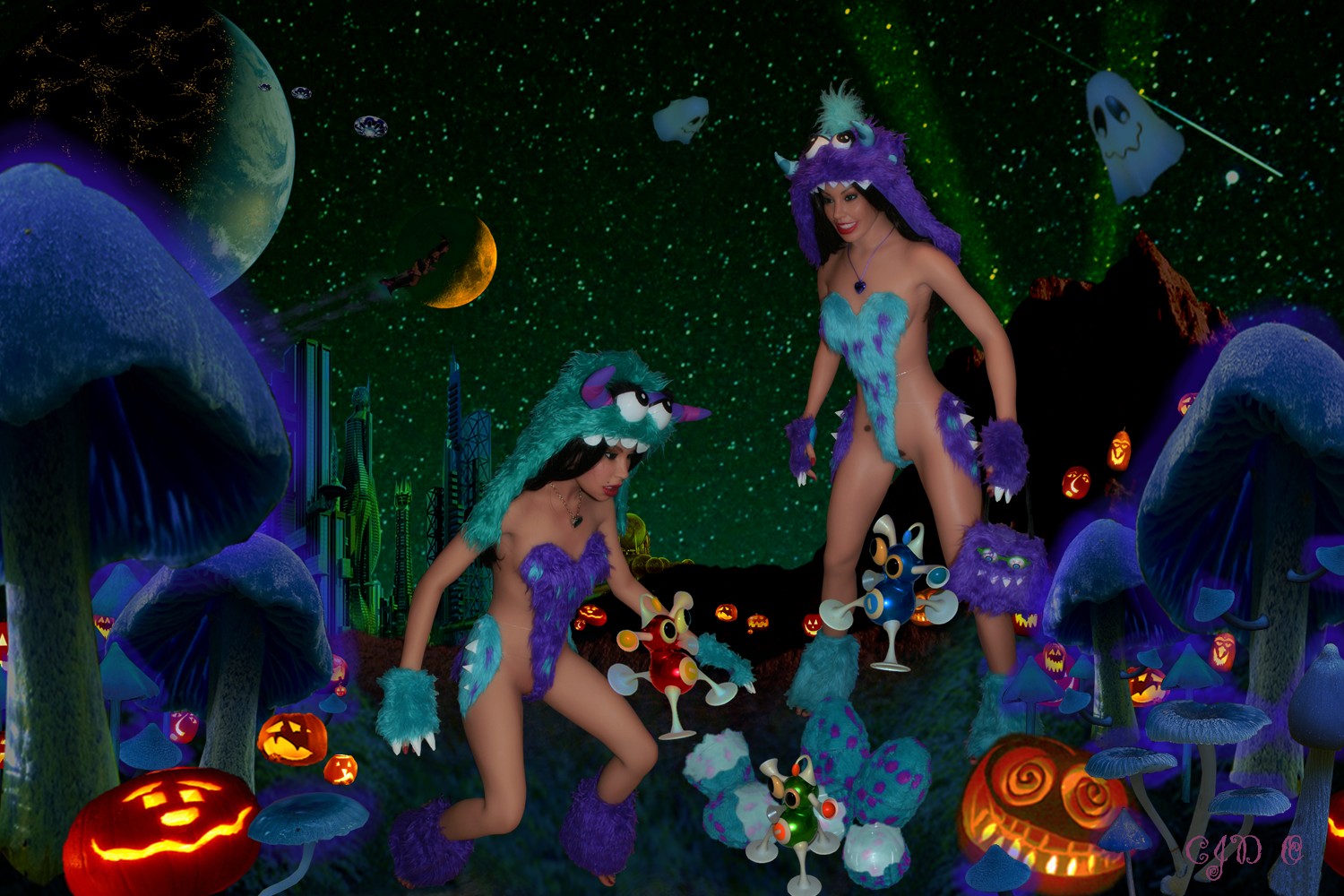
10. With the addition of Sandy and Nicole, we have the final image.
" Leaving it to the imagination "     is highly overrated.


Sandy is a wonderful B6 Classic Realdoll, and Nicole is a sweet Realdoll Petite 5.  Close sisters, they both share classic F1 faces as well as all the classic F1 expression faces. Sandy also has several sets of reusable "Real Breast" prosthetics.     Julie, Christine, Emma, Kiki and their friends are sexy little Phicen micro-babes.

Dewyn

  • Functional Drunk
  • ****
  • Posts: 128
  • #dollymaginationworld
    • Our Gallery
Re: How I create some of my photos.
« Reply #1 on: September 19, 2021, 05:57:34 PM »
Very nice work Ceej ! 8)
It's really interesting to see how you proceed step by step.
Your stories are awesome. :thumb: :thumb:
Loryanne is a Sinthetics B2D - Celeste & Celestine heads - 2012
Stéphanie is a WM Dolls 165D - 2018

noquiexis

  • Geezer
  • Functional Drunk
  • ****
  • Posts: 255
  • Sailing on a dream
    • Arimecibo Island
Re: How I create some of my photos.
« Reply #2 on: September 19, 2021, 09:55:34 PM »
Ceej,

     Nice work, and a great tutorial! Adding items in DAZ Studio (and other CGI programs) or in Photoshop is similar. The concept of layers came from animators who physically draw images on transparent sheets (cells), then lay those sheets on top of each other to create the final product.

     When I add Feodora to a project in Photoshop, I sometimes want part of her to be behind something (another character or prop). I do this by holding a paper shape to the monitor screen, and erase the part of Feodora that is 'behind' that character or prop. It is tedious, but effective.

:angel2: :angel2: :angel2:
"Her breath a warm fire
  In every lovers heart
  A mistress to magicians
  And a dancer to the gods
  And a dancer to the gods
     Angelsea by Cat Stevens 1972

Trixie and Dixie "the twins" are Private Secretary inflatable dolls.
Esperanza is a Tera Patrick inflatable doll.
Feodora is an Anatomical Doll, Face 3 Body 3 Feodora Set 1 Feodora Set 2 Feodora Set 3 Feodora Set 4 Feodora T7 Set 1

Ceej

  • Staff
  • Inebriation Engineer
  • *****
  • Posts: 982
  • Head Bartender
Re: How I create some of my photos.
« Reply #3 on: September 21, 2021, 08:19:55 AM »
Thanks Dewyn :)

Thanks Noq :)

Quote
When I add Feodora to a project in Photoshop, I sometimes want part of her to be behind something (another character or prop). I do this by holding a paper shape to the monitor screen, and erase the part of Feodora that is 'behind' that character or prop. It is tedious, but effective.

If your software allows for it, I'll explain what I do in this situation. It's especially effective for more complicated overlays.
I'll use a recent photo as an example:


In this photo, Lance is clear, but Nicole is standing behind a chair (two really) so I traced out the chair on the original background photo (I think the tool I use for that is called a lasso), Then I copy / pasted it in place, over top of Nicole as a new layer. Then all the negative spaces between the chair rungs were traced and cut out using the same tool.
" Leaving it to the imagination "     is highly overrated.


Sandy is a wonderful B6 Classic Realdoll, and Nicole is a sweet Realdoll Petite 5.  Close sisters, they both share classic F1 faces as well as all the classic F1 expression faces. Sandy also has several sets of reusable "Real Breast" prosthetics.     Julie, Christine, Emma, Kiki and their friends are sexy little Phicen micro-babes.

DG

  • Functional Drunk
  • ****
  • Posts: 176
Re: How I create some of my photos.
« Reply #4 on: September 21, 2021, 10:09:53 AM »
You did a great job and Lance and I are so happy about this amazing collaboration.  *swoons over Lance*.  Nicole looks great in that red dress, by the way.  I think Lance is liking what he sees too!

Doll_Master

  • Staff
  • Functional Drunk
  • *****
  • Posts: 380
Re: How I create some of my photos.
« Reply #5 on: September 26, 2021, 03:37:26 PM »
Ceej. Cool to see how you put the whole thing together. All of that detail is amazing. you never notice how much details is there at a glance. But as you show each layer it is cool to see how all the little parts come together. Its always fun to see the stories of the girls and they always look so cool. Thanks for sharing.  (()) (())

Ceej

  • Staff
  • Inebriation Engineer
  • *****
  • Posts: 982
  • Head Bartender
Re: How I create some of my photos.
« Reply #6 on: September 27, 2021, 08:09:45 AM »
Thanks DG :)

I'm glad your happy with the photo  :)  Lance was a good model to work with :)


Thanks Doll_Master :)

I'm glad you liked this set and the stories the girls get into.  :)
" Leaving it to the imagination "     is highly overrated.


Sandy is a wonderful B6 Classic Realdoll, and Nicole is a sweet Realdoll Petite 5.  Close sisters, they both share classic F1 faces as well as all the classic F1 expression faces. Sandy also has several sets of reusable "Real Breast" prosthetics.     Julie, Christine, Emma, Kiki and their friends are sexy little Phicen micro-babes.